
WinFR File Renamer5.60 - Download
You'll be able to download in few seconds.
Publisher Description
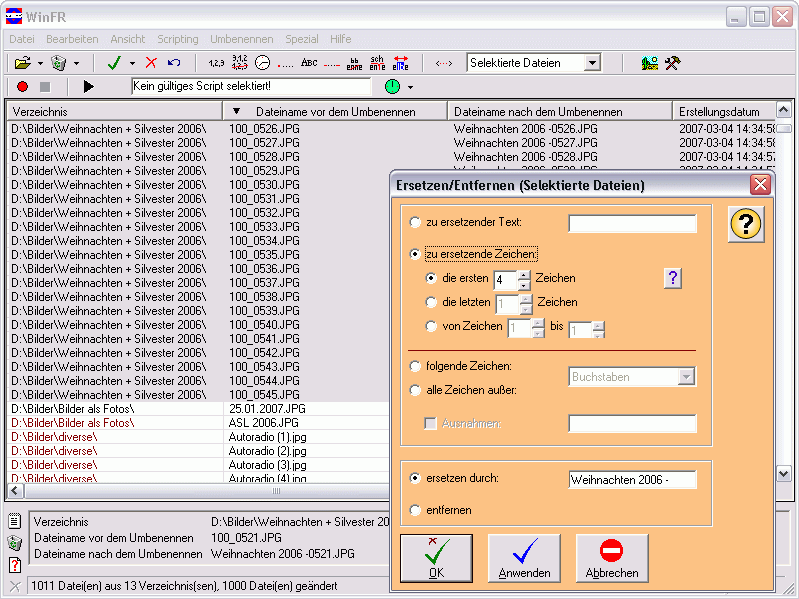
The WinFR File Renamer is an efficient utility for simultaneous renaming of several files in one step. Before the renaming modifications are displayed in an instantly updated preview. For the preview one can choose between different views (details, icons, details with icons). To rename files a lot of options like name structures, numbering, replacing/removing, renaming by date/time, capitalization and much more are available. But the WinFR File Renamer offers much more. Beside the renaming options it also provides further functionalities like the creation of picture indexes as PDF album, the search for identical files, synchronizing of folders, changing of file attributes, deleting of files, creation of file lists, detailed information about MP3 and JPG files, changing of ID3 tags, and much more. WinFR is particularly helpful with the comfortable administration of picture or music collections.
About WinFR File Renamer
This File & Disk Management program is available in English, German. It was last updated on 29 September, 2026. WinFR File Renamer is compatible with the following operating systems: Windows.
The company that develops WinFR File Renamer is TW-Software. The latest version released by its developer is 5.60.
The download we have available for WinFR File Renamer has a file size of N/A. Just click the green Download button above to start the downloading process. The program is listed on our website since 2013-12-12 and was downloaded 0 times. We have already checked if the download link is safe, however for your own protection we recommend that you scan the downloaded software with your antivirus. Your antivirus may detect the WinFR File Renamer as malware if the download link is broken.
How to install WinFR File Renamer on your Windows device:
- Click on the Download button on our website. This will start the download from the website of the developer.
- Once the WinFR File Renamer is downloaded click on it to start the setup process (assuming you are on a desktop computer).
- When the installation is finished you should be able to see and run the program.
Program Details
System requirements
Download information
Pricing
Version History
version 5.60
posted on 2013-12-12
Auslesen von Bildinformationen fr weitere Dateitypen, komplette berarbeitung der ID3-Massendatennderung, Entfernen aller selektierten Dateien per Kontextmen, Anpassbare Darstellung der genderten und ungenderten Dateien, nderung des EXIF-Datums, berlaufproblem beim Kopieren behoben
version 4.50
posted on 2008-12-12
Suchroutine für doppelte Dateien, Dateilisten-Dialog erweitert, ID3-Massendatenänderung erweitert, Kürzen auf maximale Pfadlänge, Standard-Öffnendialog größenveränderbar, Sortierung der Vorschau kann bei Bedarf ausgeschaltet werden, Löschen nicht mehr benötigter Scripte
Disclaimer
External Download
We do not host WinFR File Renamer on our servers. We did not scan it for viruses, adware, spyware or other type of malware. This app is hosted by the software publisher and passed their terms and conditions to be listed there. We recommend caution when installing it.
The external download link for WinFR File Renamer is provided to you by apps112.com without any warranties, representations or guarantees of any kind, so access it at your own risk.
If you have questions regarding this particular app contact the publisher directly. For questions about the functionalities of apps112.com contact us.
